White-background product photos for Amazon and Etsy
Updated
Start white-background product photos with a sharp image that shows the whole item. After automatic removal, inspect handles and thin parts, then choose white as the file background. Keep the original to compare the cutout and meet any requirement for an unedited photo.
On this page
Steps
- Photograph the product against a simple background with space around its edges.
- Open it in Hawaf BG and inspect holes, handles, cables and thin parts on both previews.
- Choose a white or suitable coloured background and check the displayed export dimensions before downloading.
Preserve the product
Use Restore to recover a button or cable removed by mistake. Erase residue inside handles and along the bottom edge. When using Select area, work on a small region and inspect the result after each operation.
Check gaps inside the product
The headphones show why the open space inside the band matters. Check the same kind of gap in a mug handle or a bag strap. Zoom in, erase leftover background in the gap, and restore any part of the product removed by the cutout.
 Before background removal
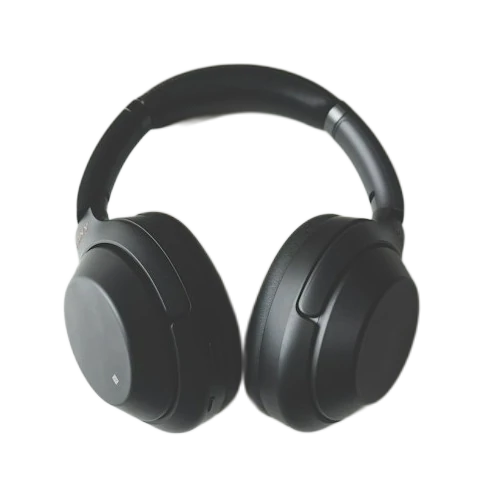 After background removal
With the Amazon preset selected, check the product position in the export preview. Open the downloaded JPG to verify its white background and pixel dimensions. Save a transparent PNG as well if you plan to reuse the cutout in a design.
Check the listing requirements
Main-image and additional-image requirements vary by marketplace and category. Read the Etsy or Amazon guidance for the listing you are preparing, including background, size and margins. Use the appropriate additional images for measurements and close-up details.
Choose an export for the job
Choose JPG for a filled background or PNG when the cutout will go into another design. Free exports reach up to 4096 pixels on the longest side within source and memory limits. Check the dimensions in the editor, then inspect the downloaded file.
Frequently asked questions
Can background removal fix a blurry photograph?
The cutout changes the background. The available detail still comes from the source, so better lighting or a sharper new photograph can help.
Why did a transparent product lose part of its shape?
Glass and reflections can resemble the background. Restore the affected areas and inspect the result against two colours.
Sources
Etsy requires at least one unedited photo of the actual item against a real background. Its shop images display PNG transparency as black. For Amazon main images, check the white-background guidance and the current requirements for your category.
Inspect a catalogue thumbnail
Place the product on white with space around it. Check the hole inside a handle and whether the product label remains legible. Reopen the downloaded JPG. Keep a transparent PNG if you will add the same item to another design.